
Core feature
Create Your Personal Cash Flow Table
A cash flow table is an income and expense tracker with structure: your money in and your money out, side by side, by category, subcategory, and month. This app builds and maintains that table from your own bank transactions, so you spend your time reading the numbers, not rebuilding a spreadsheet.
- Income and expenses by category
- Month by month totals
- Filters and date ranges
- Excel export when you need it

At a glance
What a Cash Flow Table Shows You
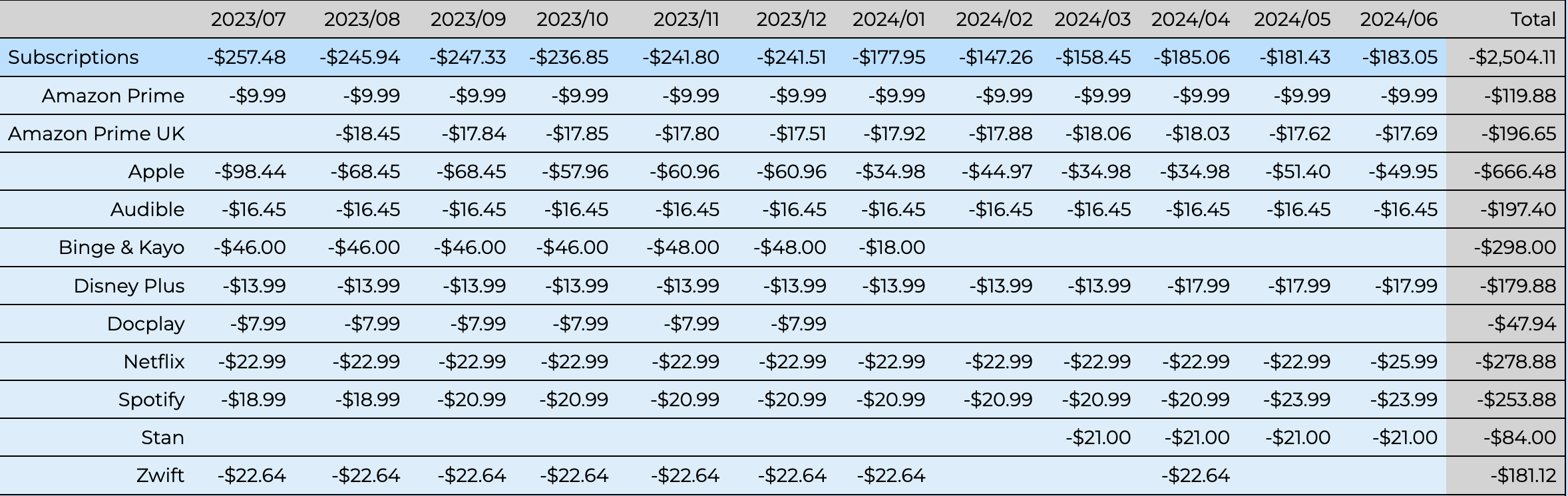
Your bank statement lists every payment on its own. Netflix here, Spotify there, iCloud somewhere else. Three small charges you barely notice. The cash flow table adds them up: how much you're really spending on subscriptions, in one place, month by month.
That's what a cash flow table is for. Not auditing every transaction. Not caring whether one charge was $12.99 or $15.99 on a Tuesday. Caring what each category costs you in total, so you can see the pattern, spot what's crept up, and decide what to do about it.

Source of truth
Built From Your Transactions
Use your bank transaction extract as the source of truth and your cash flow table stays accurate. Import the file, and every amount in the table comes from what actually moved through your account. Buy a coffee, shout a round at the bar, pay a bill: if it hit your account, it shows up in the table. You are not typing numbers in by hand or hoping a formula still works.
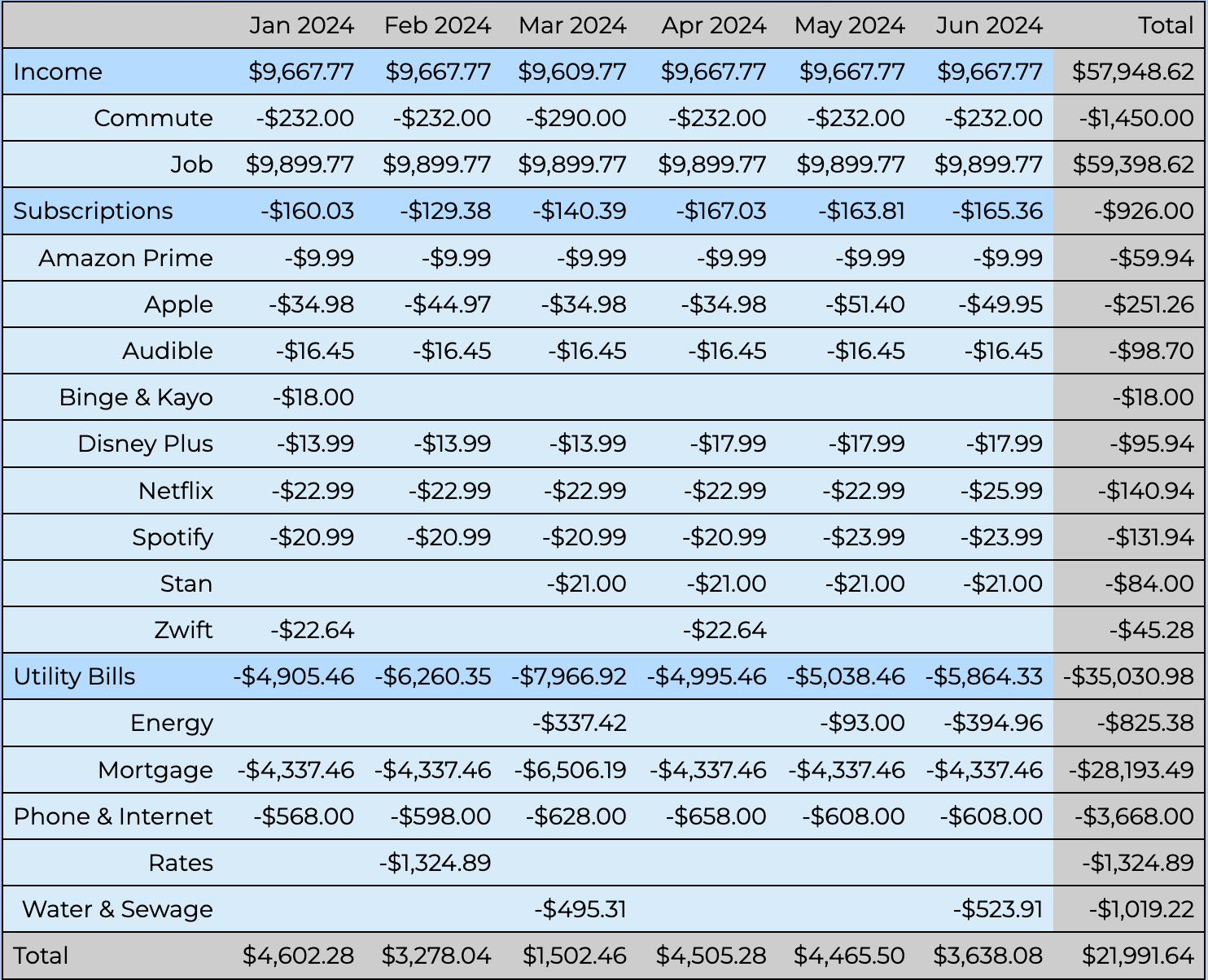
The totals along the bottom cannot change. The money in and money out is fixed. All you can do is recategorise: move a transaction from one category to another so the table gives you a clearer picture of your spending. Set up categorisation rules and new uploads sort themselves, but you can always shift something when you want the categories to match how you actually think about your money.
An Income and Expense Tracker, With Structure
Most income and expense trackers give you a running list: what came in, what went out, a balance at the bottom. That is fine for a week. Over a year it becomes noise. A cash flow table keeps the same income and expense data but groups it into your categories and lays it out month by month, so a year of spending is something you can actually read instead of scroll. It tracks income too, not just expenses, which matters if you have more than one income stream.
The Same View Finance Teams Use
A cash flow table is a standard tool in business finance because it makes a large number of transactions legible at a glance. The same thing works for personal finances. Two thousand transactions become a page you can read in a few minutes, which is not something a list of transactions will ever give you.

Build Your Cash Flow Table
Start a 28-day free trial and turn your transactions into a table you can actually read.
General information only, not personal financial advice. Read the FAQ